WIP › Guide › Navigator › WipNav step by step
WipNav: the foot navigation with voice, step by step
WipNav is the app’s foot navigator: it guides you with voice and, along the way, automatically starts the audio guides of the places you choose. It is free.
Translated from Italian. Screenshots, videos and examples show the app in Italian.
How to start
- Open a place’s card and tap Navigate (or the arrow in Radar, the green button on the map or ➤ Navigate on the alert card).
- In the sheet that opens, choose 🚶 On foot ("With WIP Nav: audio guides along the route"). If needed, tick ♿ Avoid stairs (strollers, reduced mobility). 🚗 In car opens Google Maps (on iPhone also Maps).
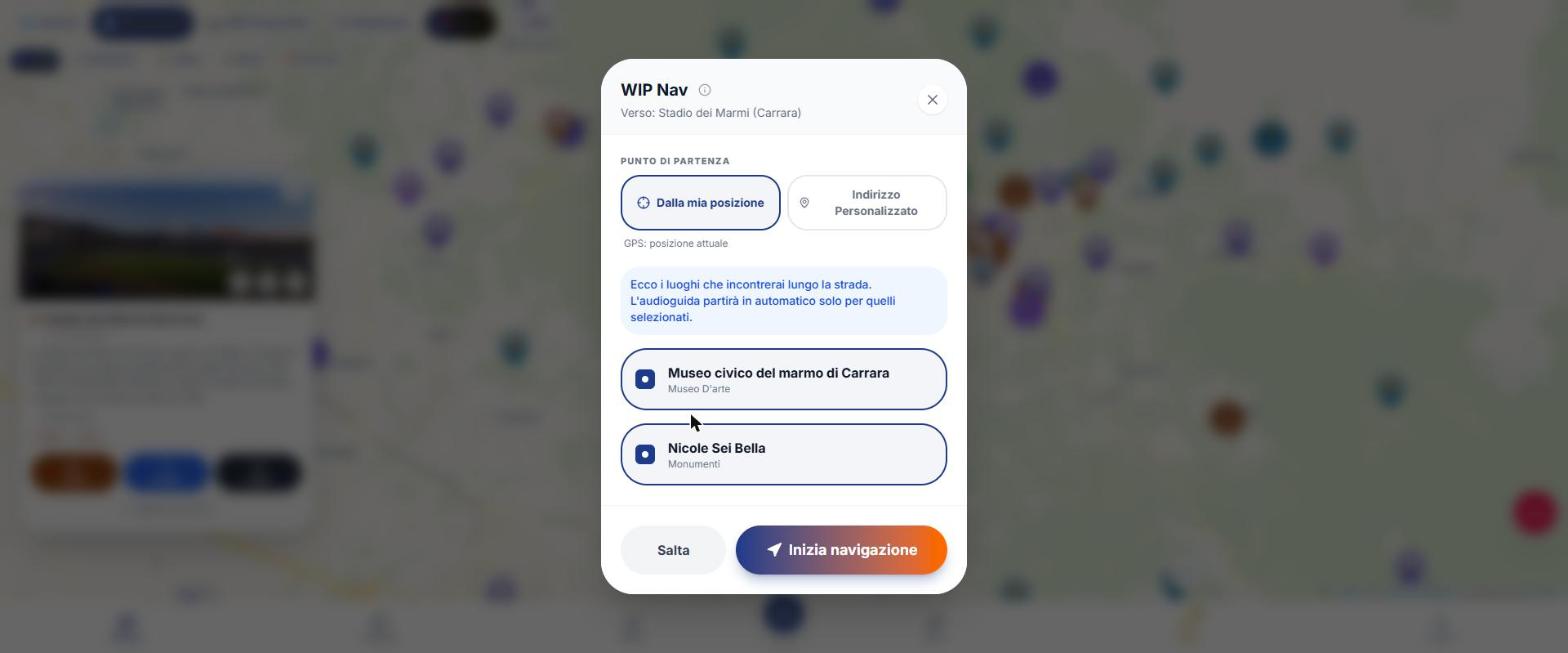
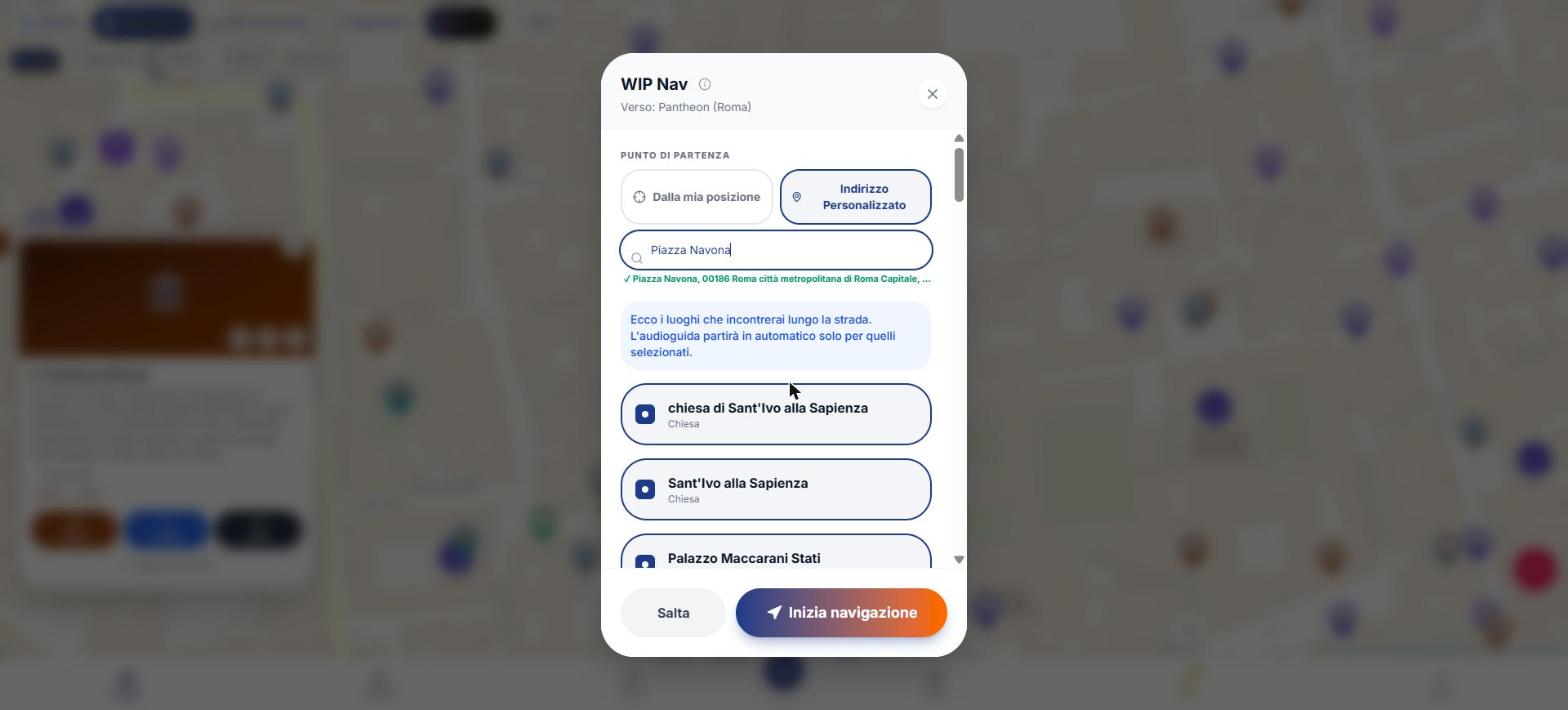
- In the WIP Nav sheet select the starting point: “From my location” or “Custom Address” (type at least 3 letters and choose from 5 suggestions).
- See “the places you’ll encounter along the way” (within 60 m of the route): they are all checked and the audio guide starts automatically only for the selected ones. Uncheck the ones you don’t want.
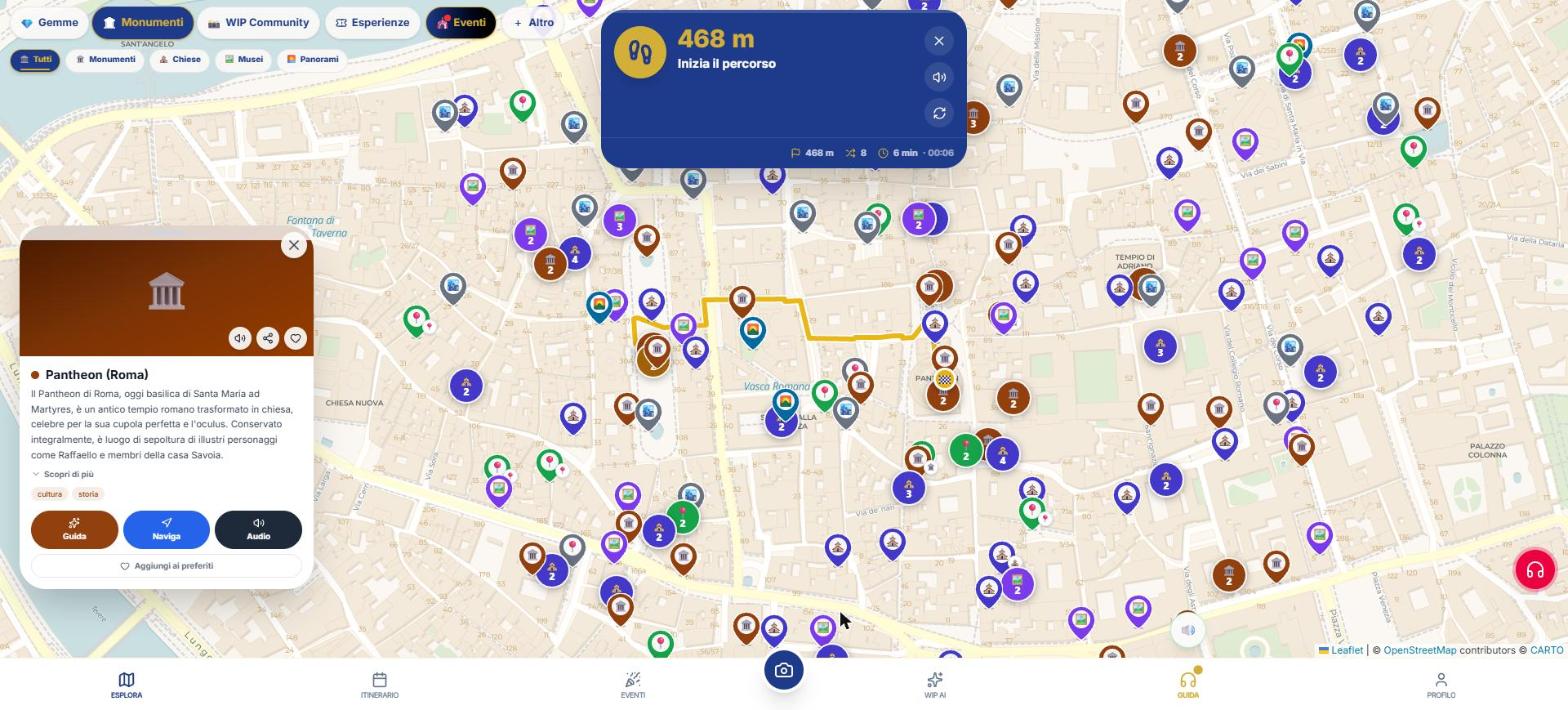
- Tap “Start navigation” (or Skip if you don’t want places along the way). The route is drawn in yellow with the flag 🏁.
The blue card: what you see and what you tap
| Element | Meaning |
|---|---|
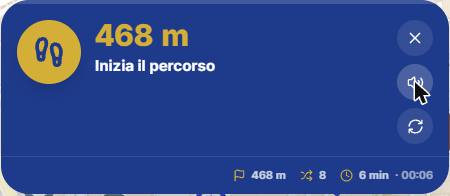
| Maneuver arrow and distance to the turn | Straight, turn, roundabout, start, reroute, flag. Tap the turn within 30 m. |
| Instruction | Two lines of text. |
| 🔊 Repeat instruction | Repeats the phrase aloud. |
| ↻ Recalculate the route from here | Always available, without thresholds. |
| X | Stop navigation. |
| Leg: place, 🏁 meters, 🔀 turns, 🕐 minutes and time | Distance and times along the route, not as the crow flies. |
| Gem at N m from the route: Detour / Ignore | Appears for gems between 25 m and 120 m from the route; after the gem “Resume towards …”. |
| Skip stop / Go to the next stop | Only if the stop is part of an itinerary with other stops. |
Voice, language and alerts
- The phrase follows the app language (7 languages); street names are read in the country’s language.
- Alert: “In N meters, …” at about 150 m (not under 60 m) and “turn now” at 30 m. Linked to the route, the alerts follow your speed (about 70 seconds before the turn). They are not configurable.
- No alert for “continue straight”.
- Vibration (app only): turn to the left = two pulses, right = one strong pulse; also on arrival.
- Silence: there is no separate button for WipNav; use the round 🔊/🔇 button on the Guide key. The text remains on screen.
- “Turn around”: at the start, if you are facing the opposite direction of the route, WipNav says it.
Off route, reroute, arrival
| Situation | What WipNav does |
|---|---|
| You are more than 45 m from the route for 2 consecutive detections | It reroutes automatically and says “Route recalculated” (20‑second pause between reroutes). |
| No network | Continue on the old route and try again after 20, 40, 80, 120 seconds. |
| Arrivals (within your arrival radius, default 30 m) | It says “You have arrived at …”, then the teaser, then the audio guide starts and the card opens. |
| Route finished and destination less than 60 m away, or 45 seconds within 60 m | Arrival still declared. |
| Tap the X | Stops voice and dashboard and removes the track. |
GPS readings worse than 80 m are not used.
Screen off
In the iPhone and Android app the navigator keeps announcing turns with the screen off (notification on Android, Live Activity on iPhone). In the browser the page stops. If you take a wrong turn with the screen off, the voice reports it but the recalculation occurs when you reopen the app. The screen stays on while you navigate, where the phone allows it. On Android you need precise location ("Settings › Apps › WIP › Location").
If something goes wrong
- \"Activate GPS or choose a starting address\": location is missing.
- \"Unable to calculate the route. Please try again.\": none of the routing sources responded, please try again.
- With a custom starting address, recalculation and arrival remain suspended until you are on the route (within 60 m).
What WIP does not do (so you know what to expect)
- WipNav is for walking only.
- The warning distances (150 m and 30 m) cannot be changed.
- There is no vibration on the web.
- \"Transit\" is in the tour dashboard for long legs, not in the WipNav card.
Frequently asked questions
Does WipNav cost credits?
No, it’s free, even within a tour.
Can I change when it notifies me?
No: the warnings are automatic. You can change the arrival distance in GeoControl.
Does it work in a car?
No: for the car use Google Maps (or Maps on iPhone) from the "Navigate" sheet.
Continue with
Navigator
How to navigate with WIP: WipNav on foot with voice, tour with audioguides, custom route and opening in Google…
Tour with audio guide
How to create and follow a Tour with audio guide in WIP: Radar, time you have, arrival, order, Along the way, …
Profile and Setup
All Profile tabs and all WIP Setup options: initial map, notifications, permissions, data usage, security, lan…
Content checked against the app code on 16 November 2026. If something does not match what you see, write to support@wip.guide.