WIP's navigator: WipNav, tours and map apps
WIP has three ways to get where you want: WipNav (on foot, with voice), the tour with audioguides and the custom route. For driving, switch to Google Maps.
Translated from Italian. Screenshots, videos and examples show the app in Italian.
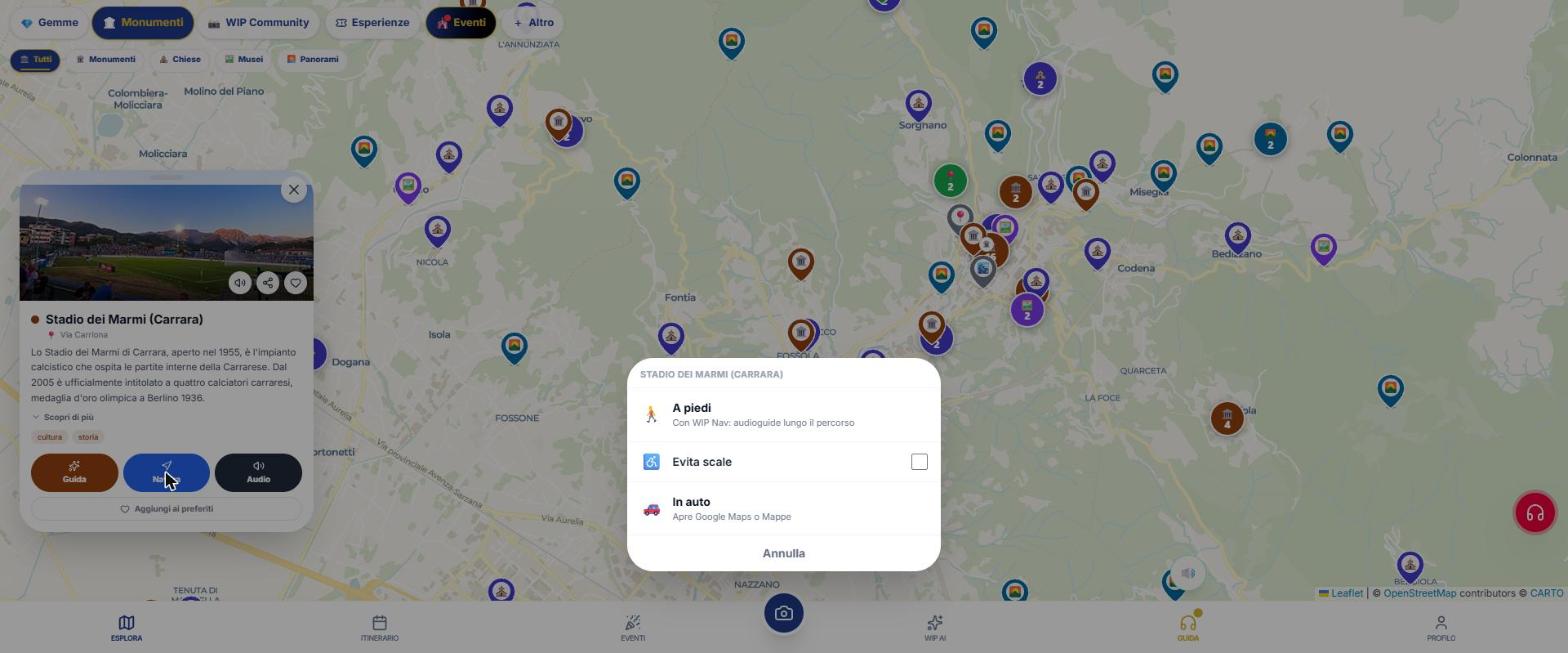
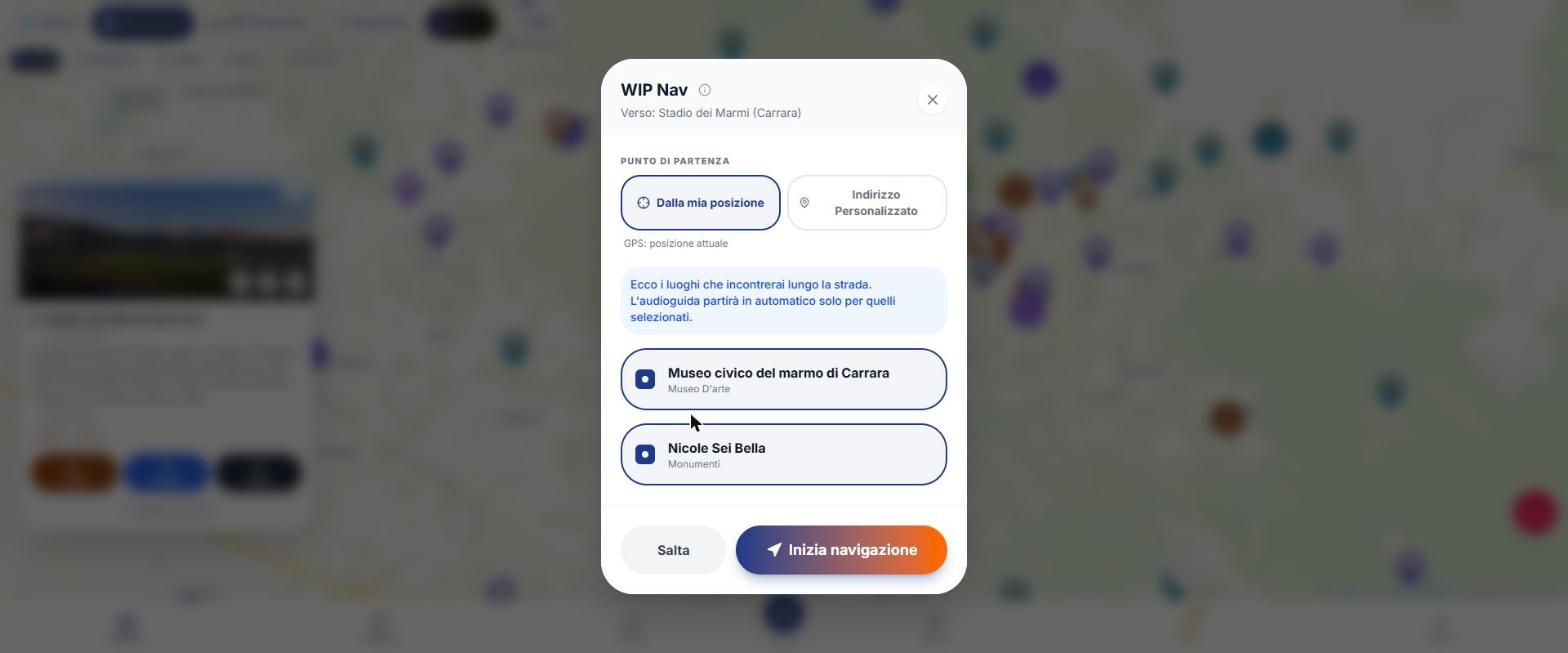
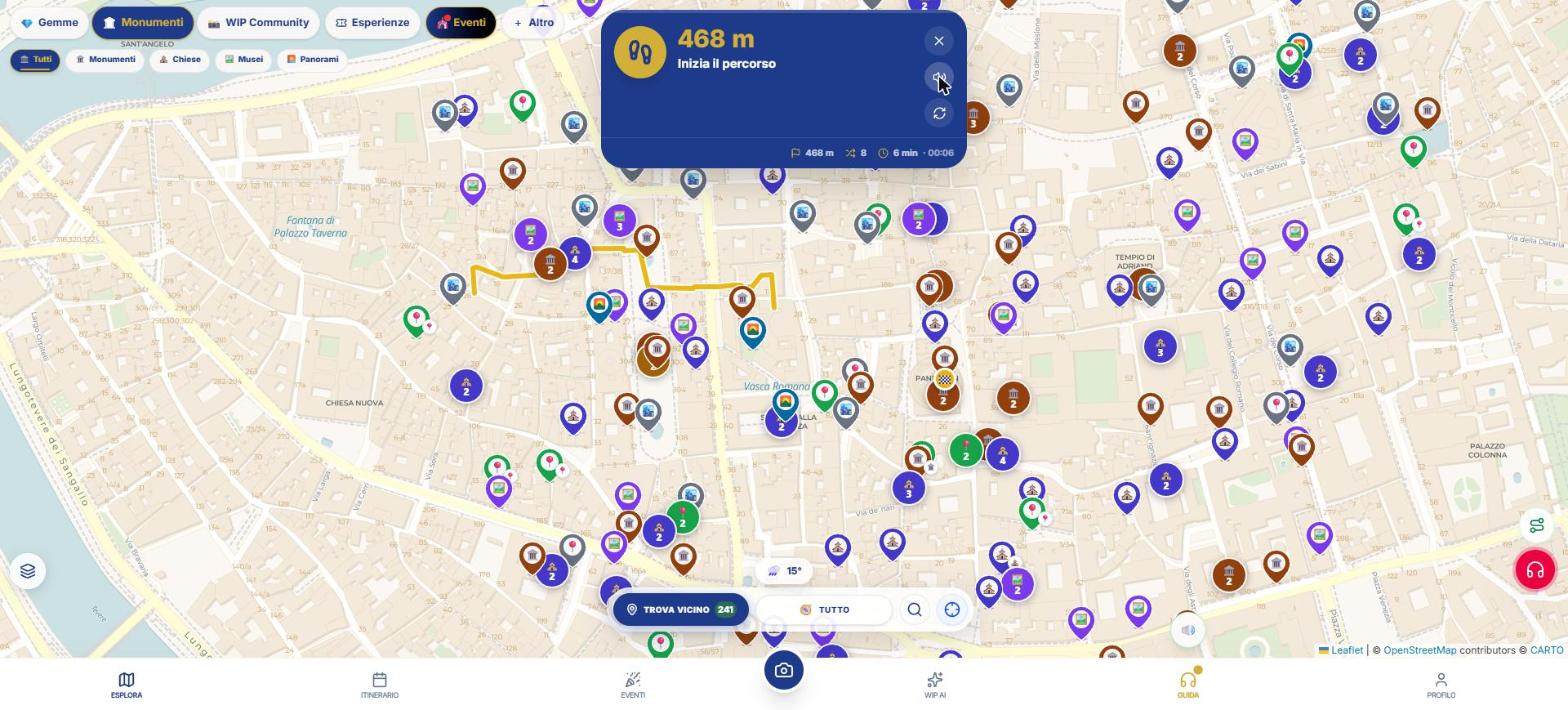
Navigate from a place
- Open a place’s card.
- Tap Navigate.
- Choose: WipNav (on foot only), Google Maps, or Apple Maps (iPhone only).
WipNav announces each turn at about 150 m and at 30 m with a different vibration for right and left. In the iPhone and Android app, the voice continues even with the screen off.
Tour with audioguides
- Turn on the radar with the headphones (button Guide).
- From the radar or from an itinerary day, choose Create tour (up to 10 stops; up to 30 if created from "Everything nearby").
- Tap Start tour and then Start navigation.
- At each stop the tour announces arrival and starts the audioguide; restaurants and breaks are silent stops (only the name is heard).
Custom route
From the map, Compose a route: "Personal" (choose your own places), "Gems around me" or "Timed" (1 hour, 2 hours, half‑day). Costs 30 credits with 3 edits included; does not include an audioguide.
What WIP does not do (so you know what to expect)
- WipNav is on foot only: for car and bike use Google Maps.
- If you take a wrong turn with the screen off, the voice alerts you but the re‑calculation only happens when you reopen the app.
- There is no built‑in planner for public transit (there is a "Transit" link to Google Maps).
Frequently asked questions
Does WipNav work with the screen off?
In the iPhone and Android app, yes; on the web, no.
Can I navigate by car?
Use the button to open Google Maps (or Apple Maps on iPhone).
Continue with
Itineraries
How to create an itinerary with WIP: days, budget, pace, stops, times, public transport, rain Plan B, PDF and …
Audio guides
How WIP audio guides work: alert, teaser and full guide that start on their own, Nicky and Dante, 7 languages,…
Web, iPhone and Android
What changes when using WIP from the browser, iPhone or Android: screen off, offline, purchases, open maps, st…
Content checked against the app code on 16 November 2026. If something does not match what you see, write to support@wip.guide.