WIP › Guide › Profile and Setup
Profile and Setup: every tab and every option explained
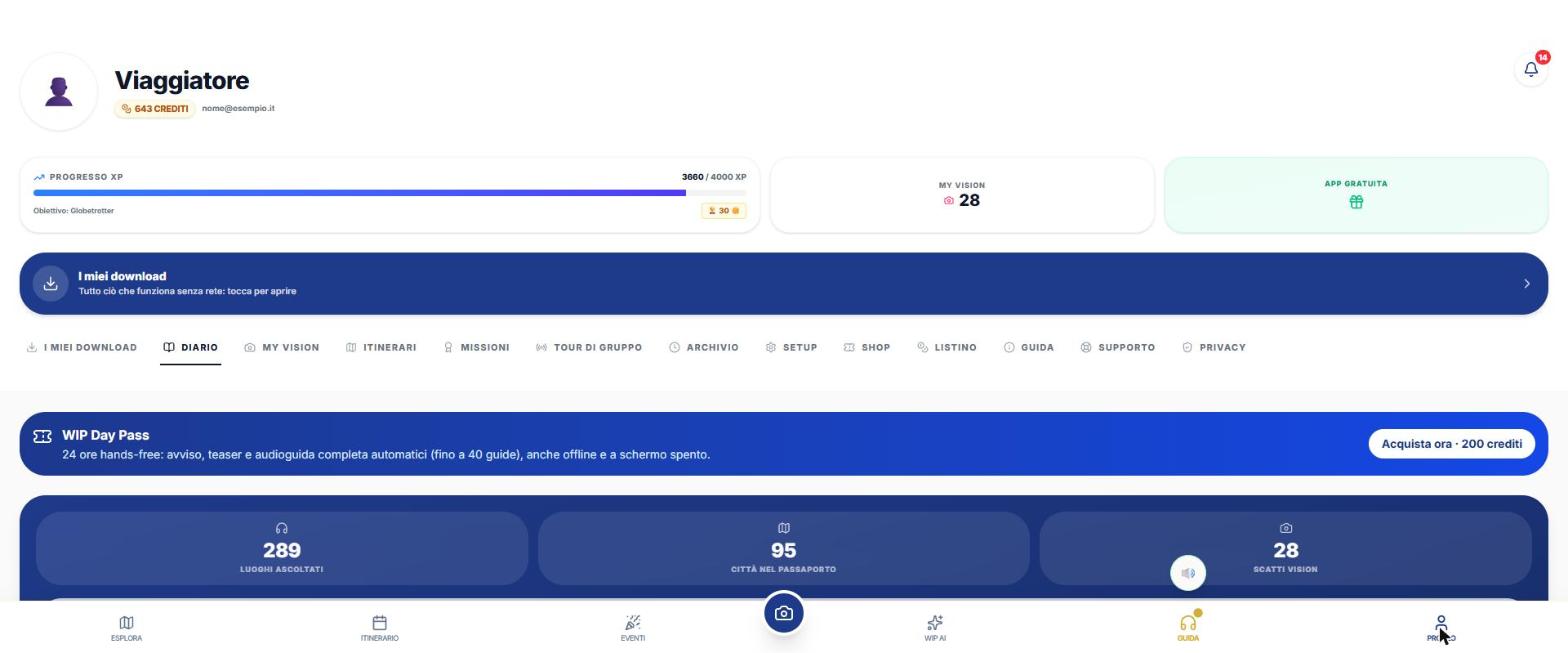
The Profile is the last item on the bottom bar. The SETUP tab (title «App Settings») contains the options that change the app's behavior. Here they all are, in the order you find them, with default values.
Translated from Italian. Screenshots, videos and examples show the app in Italian.
The Profile tabs
| Card | What it's for |
|---|---|
| My downloads | Everything that works offline (see the dedicated page). |
| DIARY | Day Pass, traveler statistics, passport, saved places. |
| My Vision | Scanned photos and their status. |
| ITINERARIES | «AI ITINERARIES» and «PREMIUM GUIDES» sub-tabs. For each itinerary: Resume, Story, Calendar, Open in Maps, Rain Guarantee. |
| Missions | Level, rewards, achievements. |
| Group Tour | PIN sessions to listen together. |
| ARCHIVE | Listening history: listen again to guides you've already purchased. |
| SETUP | The settings below. |
| Shop | Credit purchase. |
| Price list | Prices in credits. |
| Guide | The app manual (also in PDF). |
| Support | Assistance, problem reporting with diagnostic data, manual, legal information. |
| Privacy | Information. |
At the top: the 🔔 bell opens the Notification Center. It is a local log (up to 100 entries) of places encountered and audioguide alerts, with "Mark all as read": these are not push notifications.
SETUP, option by option
| Section | Options and values | Default |
|---|---|---|
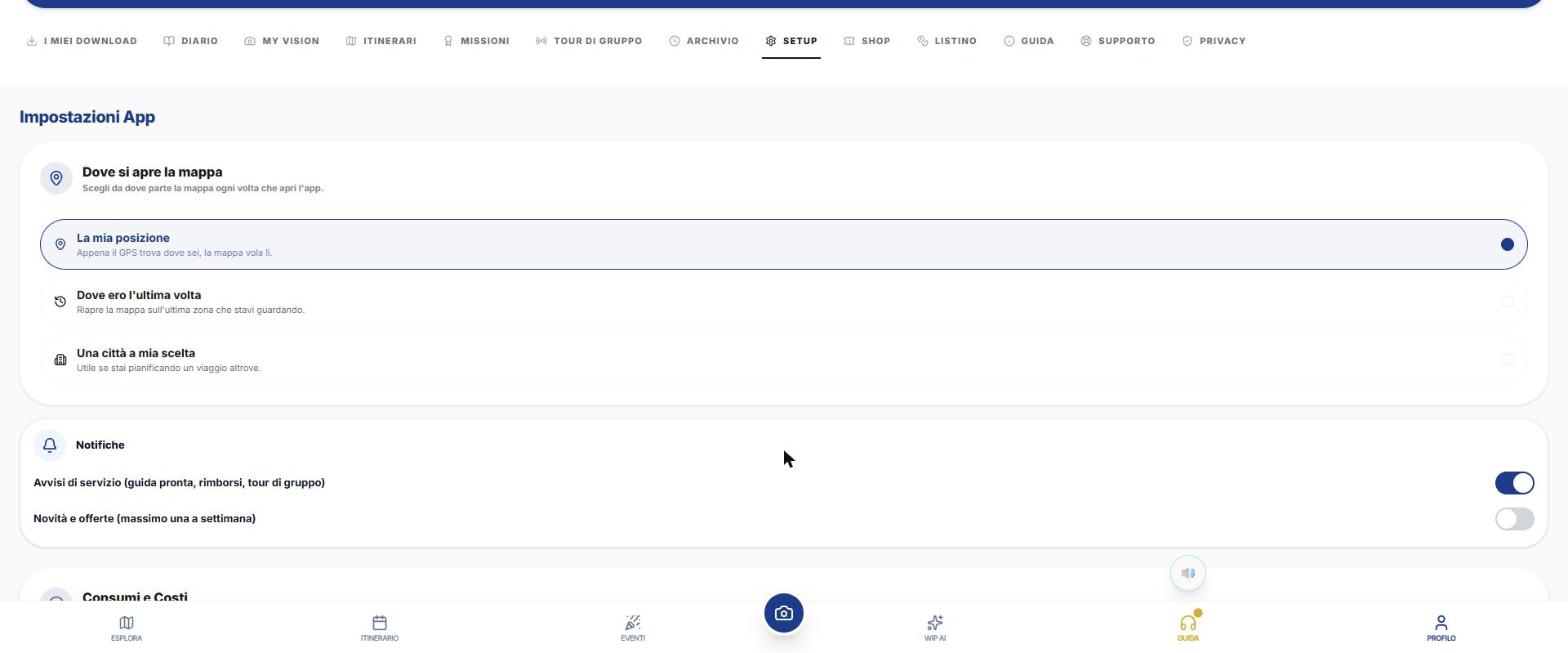
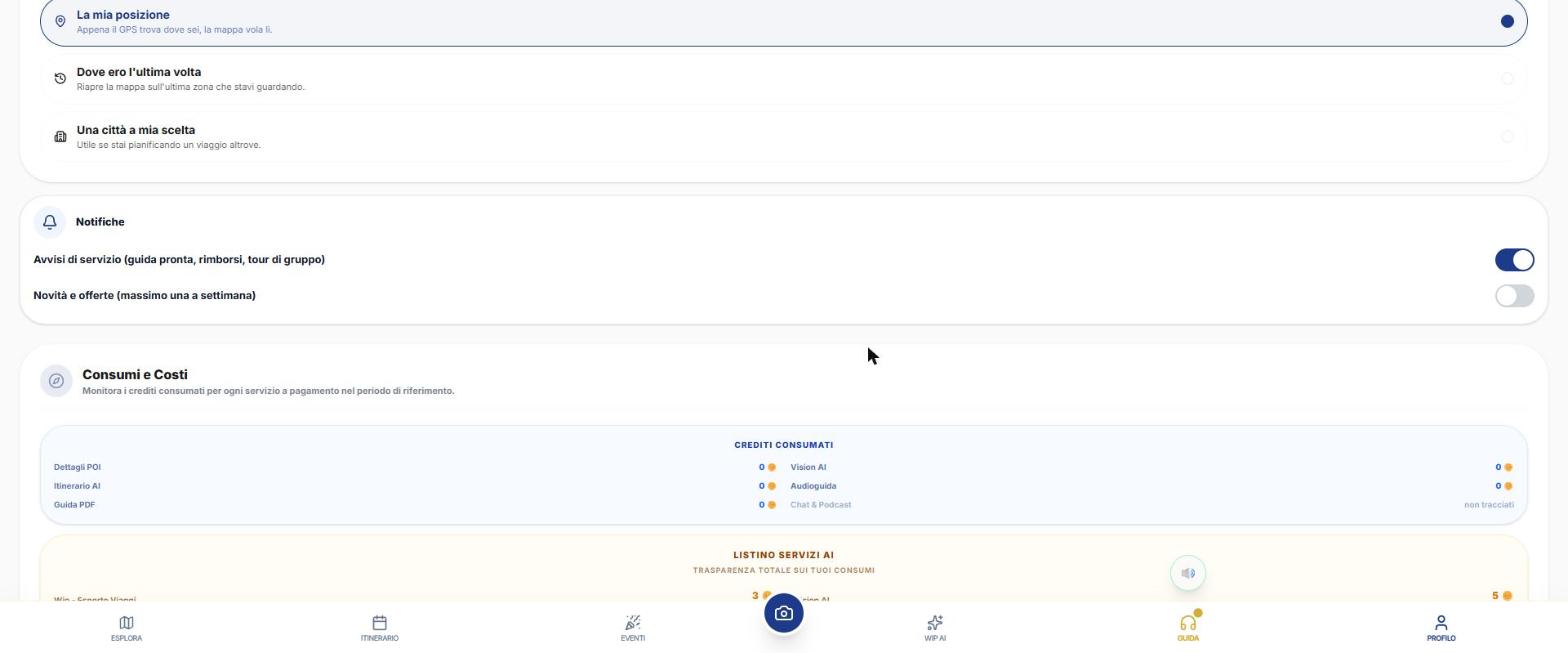
| Where the map opens | "My location" · "Where I was last time" · "A city of my choice" (search from 3 letters) | My location |
| Notifications | "Service alerts" (ready guide, refunds, group tours) · "News and offers" (at most one per week) | Service: on · Offers: off |
| Permissions (app) | Location "even with screen off" (requires "Allow all the time"), Notifications, "Unrestricted battery"; tap "Activate" | — |
| Usage and Costs | Credits consumed for POI Details, Vision AI, AI Itinerary, Audioguide, PDF Guide; chat and podcasts "not tracked"; price list; rewards balance | — |
| Personal Area | Name shown · Profile picture (emoji, URL or "Browse...", maximum 1 MB) | — |
| Credit transactions | Last 50 transactions; filters Expenses / Top-ups / Refunds | — |
| Import from Google Maps | Google Takeout CSV "Saved Places" or GeoJSON: each place searched within about 492 ft and favorited; imported / already favorited / not found reports | — |
| Travel internet (eSIM) | Airalo, Holafly, Saily affiliate links | — |
| Security | "Fingerprint / face unlock" · "App lock at launch" (only if phone has biometrics) · "Change password" (email account: current, new at least 6 characters, confirm) | Off |
| System Language | Italiano, English, Français, Español, Deutsch, Русский, 中文: translates descriptions, itineraries and audioguides | Device default |
| Default Location | Search a city or "Use my current location" | — |
| Promo coupon | Code (e.g. CAV2026) and "Activate": receive free credits. **Not available on iPhone** | — |
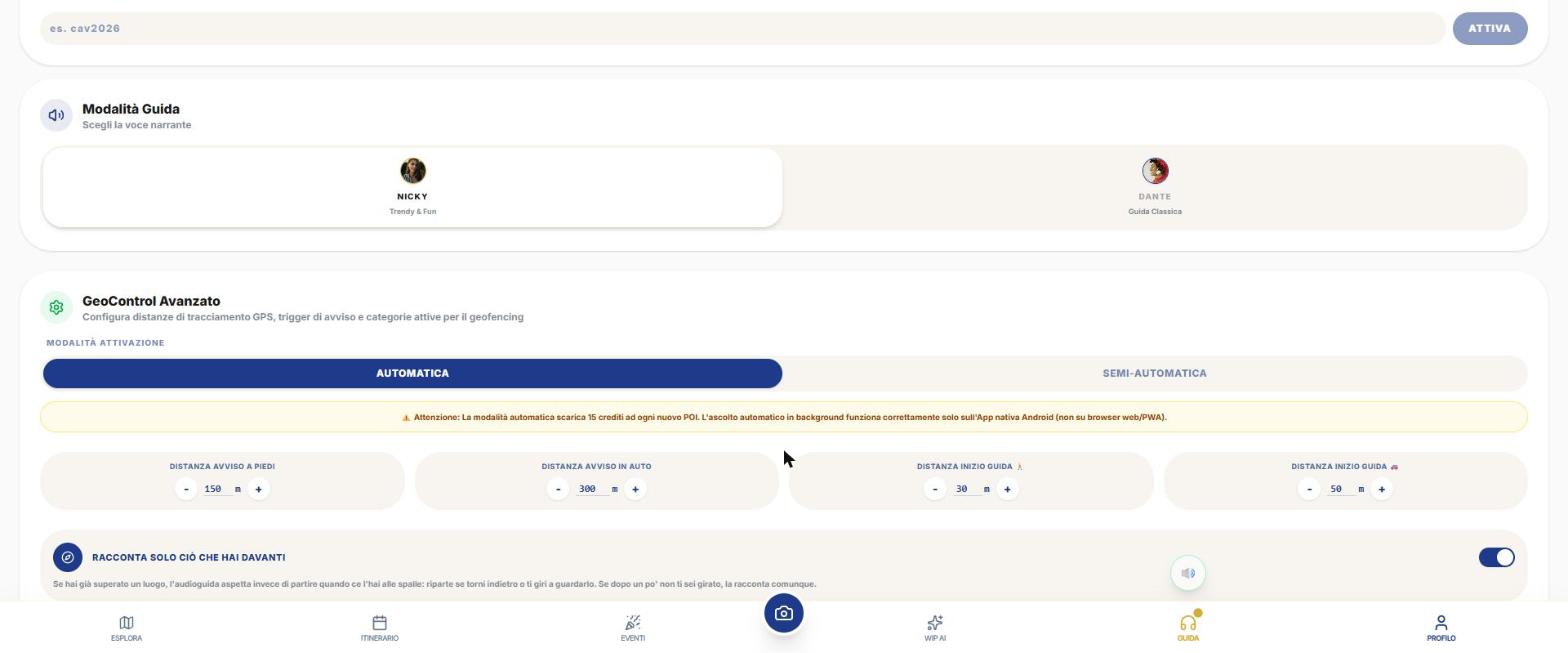
| Guide Mode | **Nicky** (Trendy & Fun, female voice) · **Dante** (Classic Guide, male voice) | Nicky |
| Advanced GeoControl | See the table below | See below |
| Restore purchases | iPhone/Android app only | — |
| Export your data | JSON file with profile, itineraries, favorites, credit movements, and Vision | — |
| Log out / Delete Account | Delete asks you to type "delete": **irreversible**, deletes data, credits, and progress | — |
Advanced GeoControl: all options
| Option | What changes | Default value | Minimum – maximum |
|---|---|---|---|
| Activation Mode | **Automatic**: the full guide starts by itself (15 credits per new place, even when the phone is locked, unless you have a Day Pass). **Semi-Automatic**: alert and teaser play automatically, you tap "Listen". | Automatic | — |
| Walking Alert Distance | When "You are approaching..." starts | 150 m (step 10) | 50 – 400 m |
| Driving Alert Distance | Same, in the car | 300 m (step 20) | 100 – 600 m |
| Walking Guide Start Distance 🚶 | How close to the place the guide starts, on foot | 30 m (step 5) | 15 – 100 m |
| Driving Guide Start Distance 🚗 | Same, in the car | 50 m (step 5) | 20 – 150 m |
| Tell only what is in front of you | Use the compass: only talks about places in the direction you are looking | — | switch |
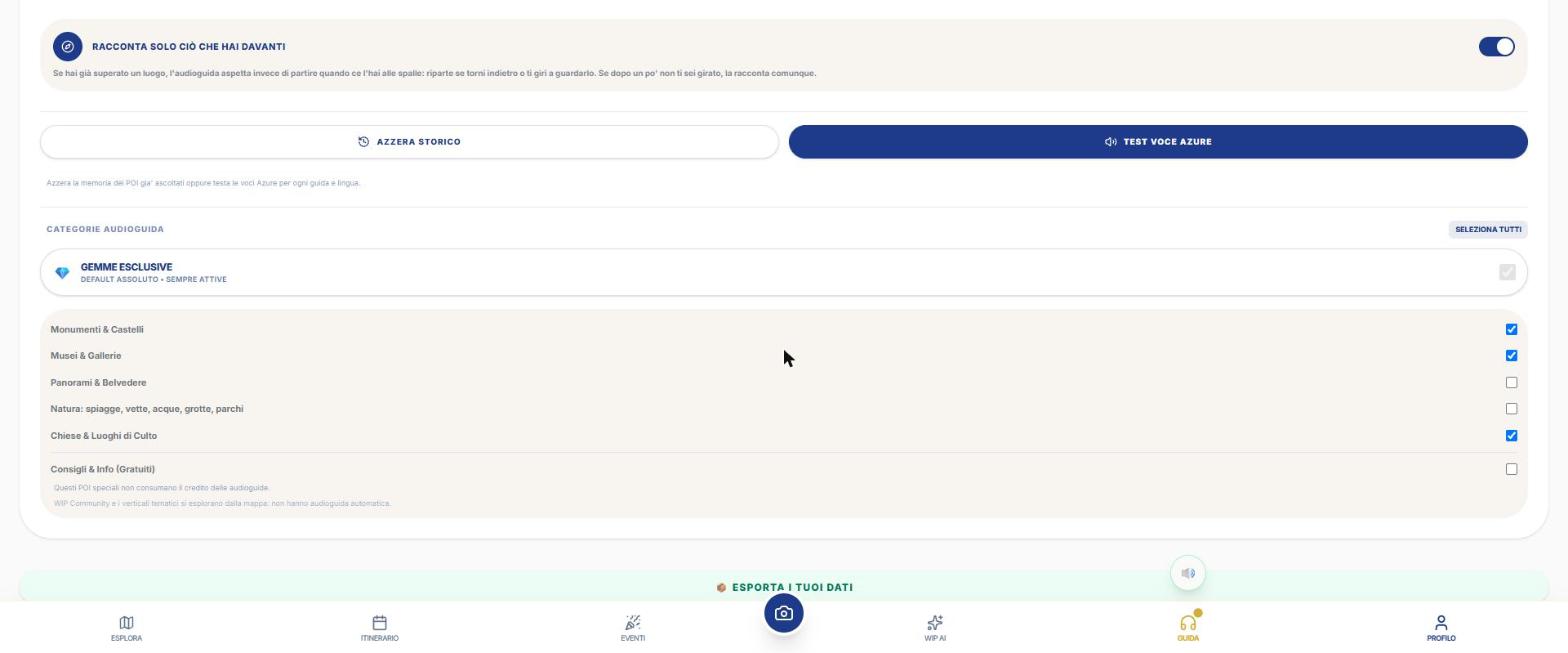
| Reset History | Clears the memory of places already listened to (otherwise a place won't restart for 24 hours) | — | button ("Done ✓") |
| Azure Voice Test | Test Nicky and Dante's voices in all languages: green = ok, red = error | — | «Testa tutte» button |
Audioguide Categories
They decide which places speak for themselves. «Select All» and «Deselect All» buttons.
| Category | Default |
|---|---|
| 💎 Exclusive Gems | Always active (cannot be turned off) |
| Monuments & Castles | On |
| Museums & Galleries | On |
| Churches & Places of Worship | On |
| Views & Viewpoints | Off |
| Nature: beaches, peaks, waters, caves, parks | Off |
| Tips & Info (free) | Off — they do not consume credits |
Frequently asked questions
How do I change the language?
Profile › SETUP › System Language.
Where do I enter a coupon?
Only in Profile › SETUP › «Have a promo coupon?» (not on iPhone).
How do I delete my account?
At the bottom of SETUP: «Delete Account», type «delete» and confirm. It is irreversible.
Continue with
Audio guides
How WIP audio guides work: alert, teaser and full guide that start on their own, Nicky and Dante, 7 languages,…
How to buy
How to purchase credits in WIP from web, iPhone and Android, the packages, the balance, the passes (Day Pass, …
Archive, downloads and points
How Archive (listenings), My downloads (5 folders), XP points, levels, Missions, loading quizzes, Passport and…
Content checked against the app code on 16 November 2026. If something does not match what you see, write to support@wip.guide.