WIP › Guide › Museums and culture › Museum guide
Museum guides: Museum Visit, Pass and floor plans, step by step
The Museum Visit guides you from room to room and work by work, with audio, trivia, and a floor plan. You can find it in the Visits tab, inside the camera on the bottom bar.
Translated from Italian. Screenshots, videos and examples show the app in Italian.

What you get: real examples
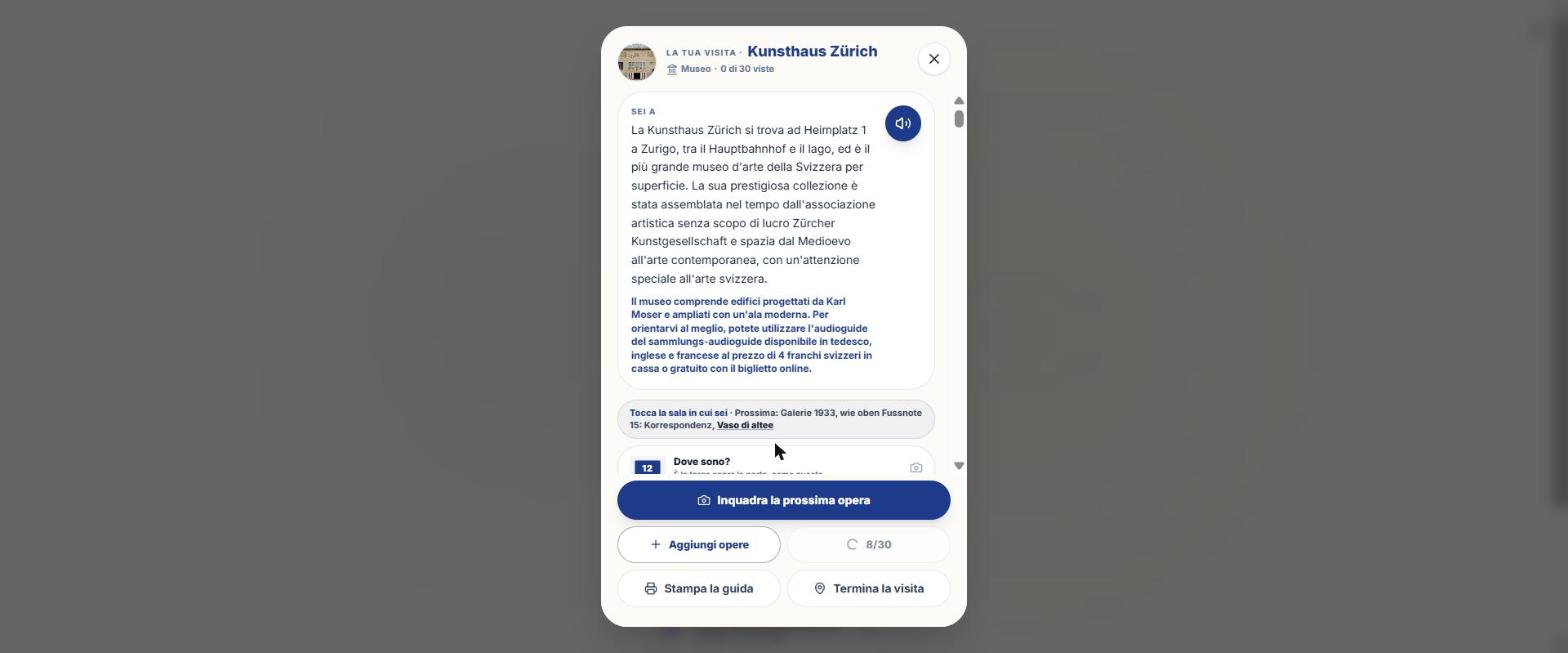
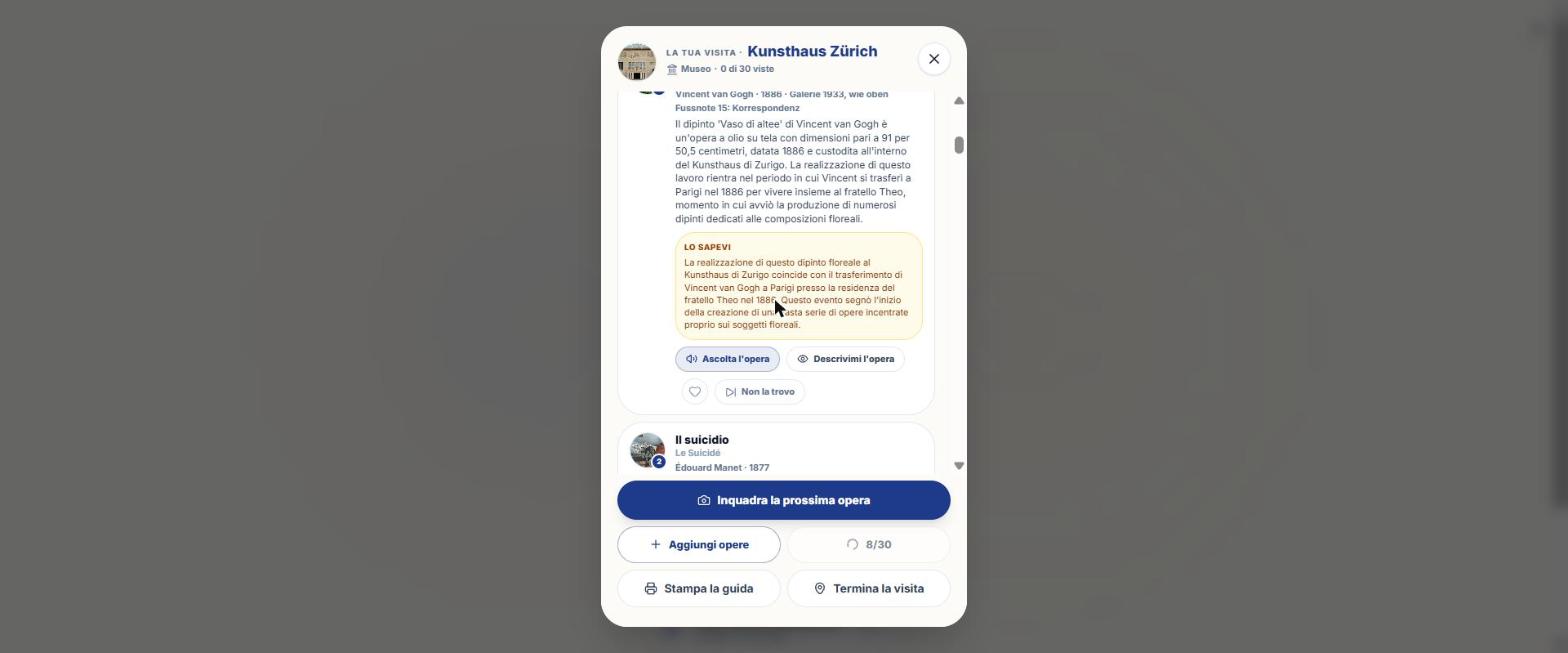
Files generated by the app for a real user, untouched: a big city and a smaller town. They are in Italian.
Large city · the true story of a work with Nicky’s voice, as you hear it on the visit (about 3 minutes): dimensions, technique, what to look at, the history.
Read the textSmaller town · Nicky's voice (about 2 minutes), ending with a detail to look for.
Read the text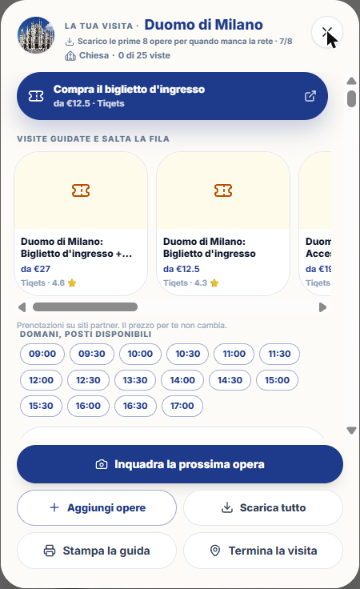
Large city · tickets, guided tours and free times, then "Frame the next work".
Large city · 21 pages, artwork by artwork with photos.
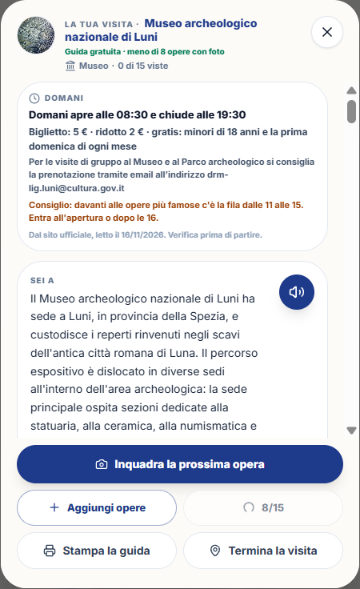
Smaller town · opening hours and tickets from the official website, then the museum story.
Free, Pass, or Visit? At a glance
| Free guide | Museum Pass | Museum visit | |
|---|---|---|---|
| Cost | 0 | 100 credits | 200 credits |
| Duration | — | 4 hours | No expiration, for that museum |
| Scans | — | 40 | 20 |
| What it includes | For places with fewer than 8 works with photos | Recognize what you frame and listen to the card. It does not include the room-by-room route. Internet required. | Room-by-room route, explanations, trivia, photos, floor plan with pins, comparisons. Downloadable and offline. |
- From the Pass to the Visit, you only pay the difference (+100).
- Under 12 works, the Visit is not sold: «Qui il pass non conviene» appears and you can scan the works one by one (5 credits).
- The Visit is valid for one museum: choose the museum first.
How to find a museum
- Visits tab: «You are at [place]» with «Inizia la visita guidata» (the place is recognized via GPS within 656 ft).
- Search: «Cerca un museo o una chiesa» (from 3 letters). Suggestions say «Ready guide · N works» or «Generates in 1 minute».
- «Nearby, to visit inside»: up to 20 places within 30 km, with distance and, where available, «Ticket from X €».
- «Your visits»: the ones you've already paid for («Yours» badge), reopen for free and offline.
- From an itinerary or from the Library, on museum stops with the «🎧 Guide with work audio guides» badge.
- By scanning an 🖼️ Work, recognizing a work in a museum.
- From Profile › My downloads › Museums.
Tutorial: taking a Museum Visit
- Tap the circle with the camera and then the Visits tab.
- Search for the museum (or tap «Start the guided visit» if you are already there).
- If it's not yours, read the card «This guide unlocks with the Museum Visit» and try «Listen to 30 seconds for free».
- Tap the Museum Visit (200 credits), confirm in the credits box. The guide starts by itself.
- Before leaving home tap «Download all»: route, photos and voices (MP3) stay on your phone and work offline.
- In the room, tell WIP where you are: frame the number above the door of the room («Where am I?»), or tap «I'm here» in the room header. It doesn't use up the pass.
- The bar shows «You are in: [room] · Next: [work]». Tap a work and then «Listen to this work».
- At the end of a work, a voice says what to do next («In this room there are still…», «Now move to…»). If you don't move for a minute and a half, it reminds you to frame the room number.
- Tap «End the visit»: «Before you leave» shows the missing works, with «Keep visiting».
The visit screen, voice by voice
| Element | What it does |
|---|---|
| «Next» card | The recommended work now, with «Play the next one». It is chosen first in the same room, then in nearby ones. |
| Usually crowded | For the 3 most famous works from 11 AM to 3 PM: «Leave it for later» moves it to the end. |
| One at a time | Full-screen player on a work, with side scrolling. |
| Read at ease | Large fonts, slower voice, text always visible. |
| Voice commands | Where the phone supports it: «next», «repeat», «where is it», «pause», «continue», «enough». |
| Description before each work | Accessibility: describes what you see before the story. |
| Your route | Only with more than 6 works with a room: **Time** (All, 30 minutes = 8 works, 1 hour = 15 works); **Interests** (All, Paintings, Sculptures, Other); **With kids** (6 works told to an eight-year-old child). |
| List | Map | Switch from the list to the floor plan (appears only if the museum has a floor plan). |
| Favorites, Comparisons | Your works with a heart; up to 3 comparisons (same author, subject or era). |
| Add works | Online: adds documented minor works. |
| Download all / Print the guide | Offline and PDF. |
| Scan the next work | It recognizes the work in front of you. |
For each work
- Listen to the work: a 250-350 word story with technique and dimensions, "Look for these details" and "Did you know".
- Describe the work for me: audio description (requires a photo of the work).
- Heart: adds to favourites (they appear in the PDF).
- "Can't find it" / "Put it back": skips the work (room closed, on loan, queue).
- Three ready-made questions: "Why is so famous?", "What should I look at to get it?", "How did it get here?" (1 credit each, network required) and ready-made questions even without a network, free of charge.
- Custom question ("Your question about this work…", "Ask · 1 credit", minimum 3 characters).
- Scan the label: translates the text next to the work and shows "On the label" in the original language. Does not consume the pass.
- Souvenir photo: you snap and WIP adds name, artist, museum, and date.
The map with pins: how to read it
- One pin = one room. Inside is the order number of the work if there is only one in the room, or how many works there are if there are more.
- Blue = still to see; green = all seen; amber ring = the room of the last recognized work ("You are here").
- With multiple works, a tap opens "{sala}: {n} works. Choose where to start".
- Zoom: − and + buttons (1× to 4×), double tap (1× ↔ 2×), drag with your finger. Multiple floors: floor chips.
- The map is always the official one of the museum. If pins are missing: "Room locations will be coming soon".
Useful warnings during your visit
- Rooms closed today: the affected works are removed from the tour ("Room closed today").
- Hours and tickets ("Tomorrow"): opening, closing, last admission, full/reduced, with reading date from the official website: check before you go.
- The museum closes in N minutes: shows you the nearest missing works.
- Second visit: "You've already been here on…"; "Only the new ones, plus favourites" filter.
- Tickets and experiences from partner sites: the price for you doesn't change.
Audio, language, offline, and PDF
- Audio: fixed player; controls on the lock screen; on iPhone Live Activity; "Continue visit" widget.
- Language: the app's language; the visit is saved by language.
- Offline: with the downloaded visit, the tour, texts, photos, map, and voices work. Only the custom question requires the internet.
- PDF ("Print the guide"): cover, photos, texts of all works, map with numbered pins and legend; saved in Documents.
What WIP does not do (so you know what to expect)
- There are no QR codes or beacons to help you find your way inside the museum: you use the room number above the door.
- The sharing of the "day" has been removed.
- From the place card on the map there is no direct button to the museum guide.
Frequently asked questions
Can I use the guide without the internet?
Yes, if you tapped "Download all" beforehand. Only the custom question requires a network.
What happens if I don't need the Visit in that museum?
Under 12 works it is not sold; in that case you scan the works one by one.
How do I tell WIP which room I'm in?
Scan the number above the door ("Where am I?") or tap "I'm here" in the room.
Continue with
Vision
How to use WIP Vision: AI Scan (Place, Artwork, Nature), AR Radar, costs, photos from the gallery, candidates,…
Museums and culture
How to find museums, monuments, churches, castles and archaeological sites with WIP, and how to use the Museum…
Group tour
How the WIP Group Tour works: the leader creates the session and shares the PIN, and the others join and hear …
How to buy
How to purchase credits in WIP from web, iPhone and Android, the packages, the balance, the passes (Day Pass, …
Content checked against the app code on 16 November 2026. If something does not match what you see, write to support@wip.guide.