WIP map: places, filters, search and place card
The “Explore” card is the map that everything else rests on. Below you’ll find what each element means and how to go from a pin to a place’s full card.
Translated from Italian. Screenshots, videos and examples show the app in Italian.
Data updated on 15 November 2026. Luoghi visibili nell'app (esclusi nascosti e da rivedere). «circa» = stima del database, non conteggio esatto. Le sottocategorie dei ristoranti dipendono dai tag dichiarati in OpenStreetMap: indicano la presenza del tag, non una certificazione.
What you’ll find
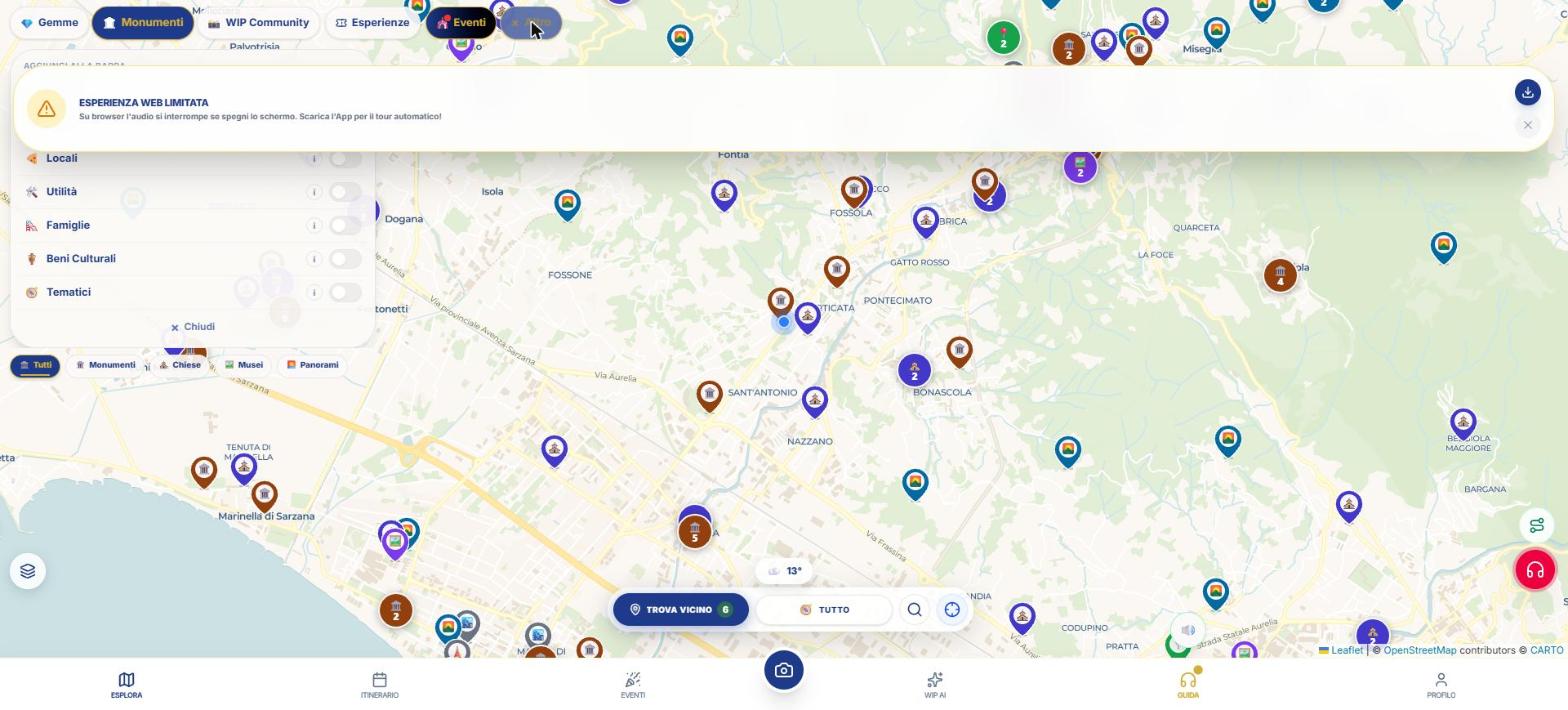
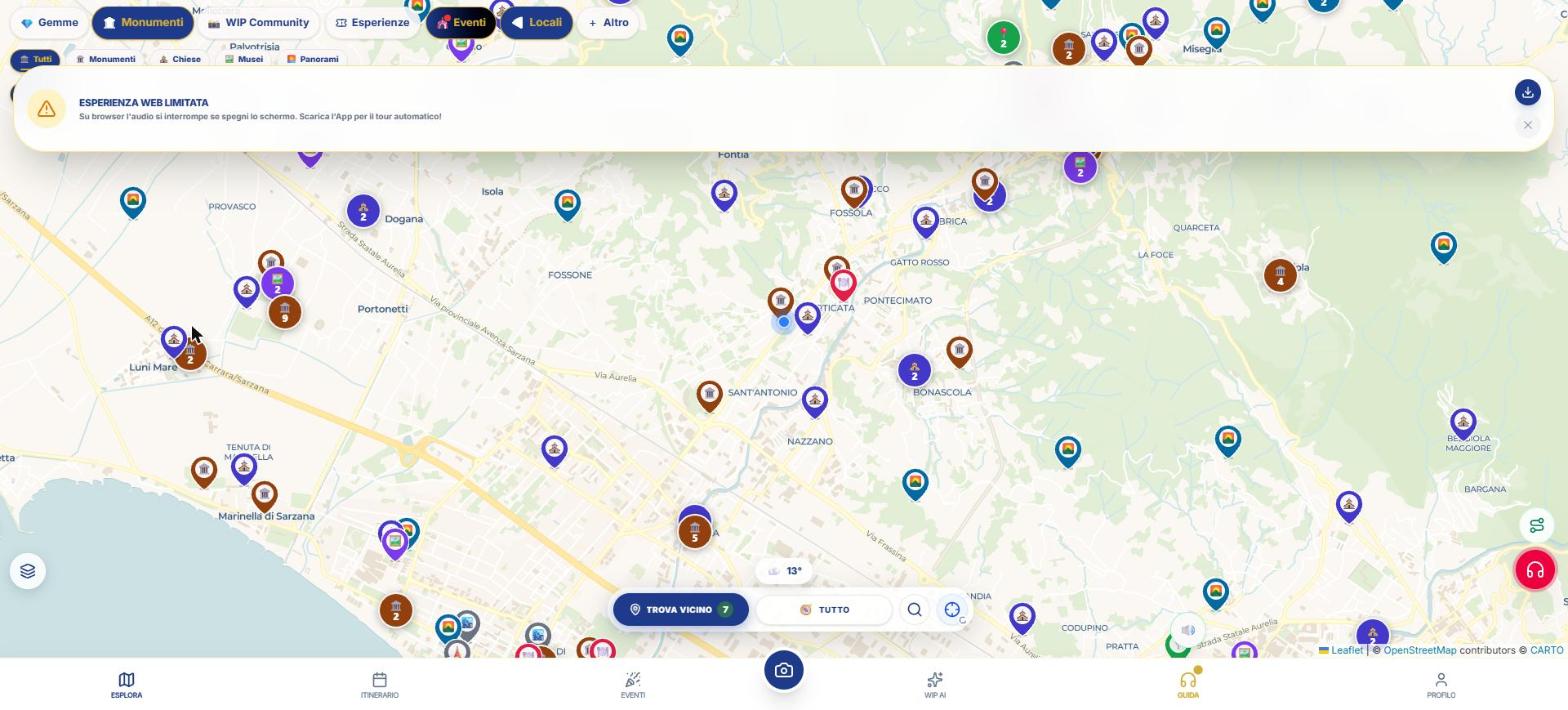
The map shows places as colored pins by category. Categories light up with the chips under the search bar: 💎 Gems, 🏛️ Monuments, 📸 WIP Community, 🎟 Experiences and 🎪 Events are always in the bar.
With the + More button add other categories to the bar: 🌿 Nature, 🏘️ Locations, 🍕 Venues, 🛠️ Utilities, 🛝 Families, 🏺 Cultural Heritage and 🧭 Thematic. Your choice is saved on the device.
Some chips open a second row of filters. For example Nature: Beaches and islands, Peaks and glaciers, Waterfalls and lakes, Caves, Parks and reserves. Thematic: Spas and springs, Film and series locations, Dark skies and stars, Street art, Markets and fairs, Blooms, Memory and house‑museums, Slow travel.
How to use, step by step
- Open WIP from the Explore card (the first one in the bottom bar).
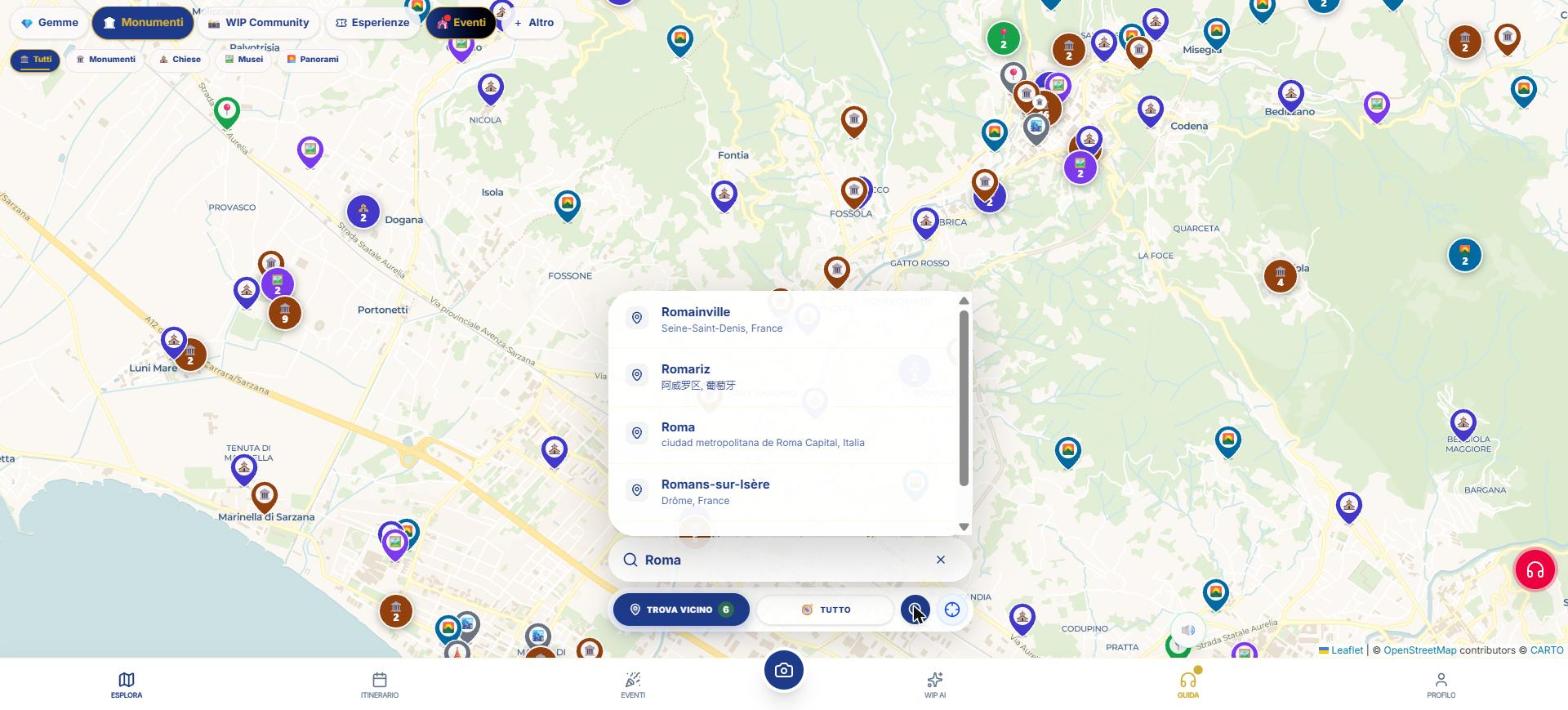
- Tap the magnifying glass 🔍 and type a city name: suggestions appear, pick one. Search is by city, not by individual place.
- Tap the crosshair to center the map on your location. Holding it for about half a second activates “Follow me”: the map stays attached to you as you walk.
- Turn on one or more chips. The pins change instantly; zooming reveals smaller places.
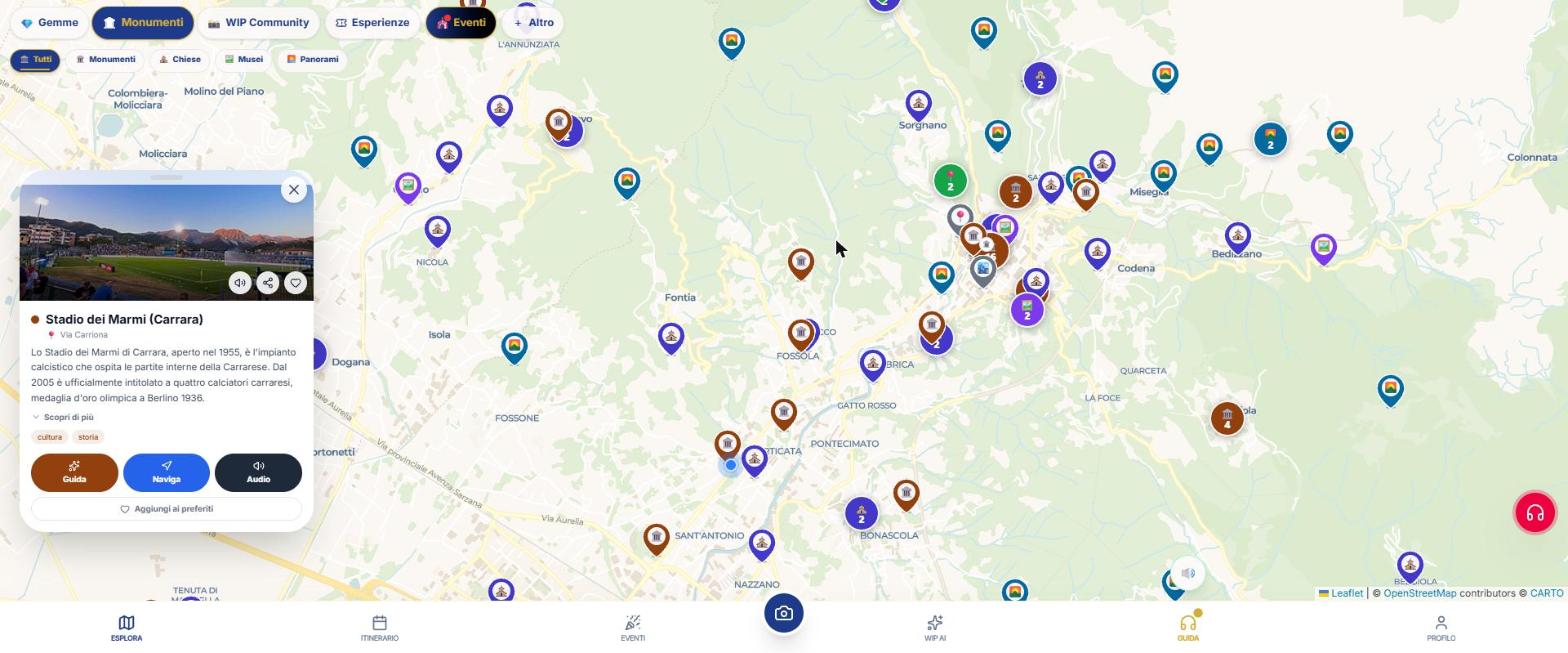
- Tap a pin: a panel opens with photo, name, favorites and sharing. Tapping again opens the full card.
- In the card you’ll find buttons to navigate, ask WIP, explore the surroundings and listen to the audioguide.
What’s in a place’s card
- Photo with attribution and description, also “Detailed description” when available.
- Rating and number of reviews, only when they’re real (no fabricated scores).
- Distance from your location and Navigate button (see the navigator page).
- Explore nearby: other nearby places.
- Technical data when noted: year, architect, style, material, height, municipality.
- For venues: phone, website and report if they are permanently closed.
- The audioguide player, if that type of place has one.
- The link "Have you noticed an error in this place? Report it": visitor corrections keep the map accurate.
Weather and rain on the map
At the bottom centre there’s a small indicator with emoji and temperature for your current spot. If the chance of rain is at least 50%, a notice appears with two options: “Indoor” dims the pins of outdoor places, “No thanks” ignores it. The weather data comes from the Norwegian meteorological service MET Norway.
What WIP does not do (so you know what to expect)
- The map search looks for cities, not individual place names: to find a specific spot, zoom into the city and use the chips.
- The map is two‑dimensional (there’s no 3D view).
Frequently asked questions
Can I use WIP without signing up?
The website opens and shows the map. Some features (credits, itineraries, purchases) require an account. The free features are listed on the “What’s free” page.
How do I search for a specific place?
Search the city with the magnifying glass, then turn on the right category with the chips and tap the pin. Searching for individual places by name isn’t available.
Continue with
Categories catalog
The catalog of all WIP categories with the number of places, description and link to the guide: food, nature, …
Restaurants and gastronomy
How to find restaurants, pizzerias, bars, ice cream shops, gluten‑free, starred and wineries with WIP: real fi…
Navigator
How to navigate with WIP: WipNav on foot with voice, tour with audioguides, custom route and opening in Google…
Content checked against the app code on 16 November 2026. If something does not match what you see, write to support@wip.guide.