WIP › Guide › Audio guides › Free audio guide
Free audio guide: notice, arrival, card and player, step by step
“Free” means without a chosen route: you turn on the Guide, walk wherever you want and WIP tells you about the places you come across. Here everything is explained, from the button to spending credits.
Translated from Italian. Screenshots, videos and examples show the app in Italian.
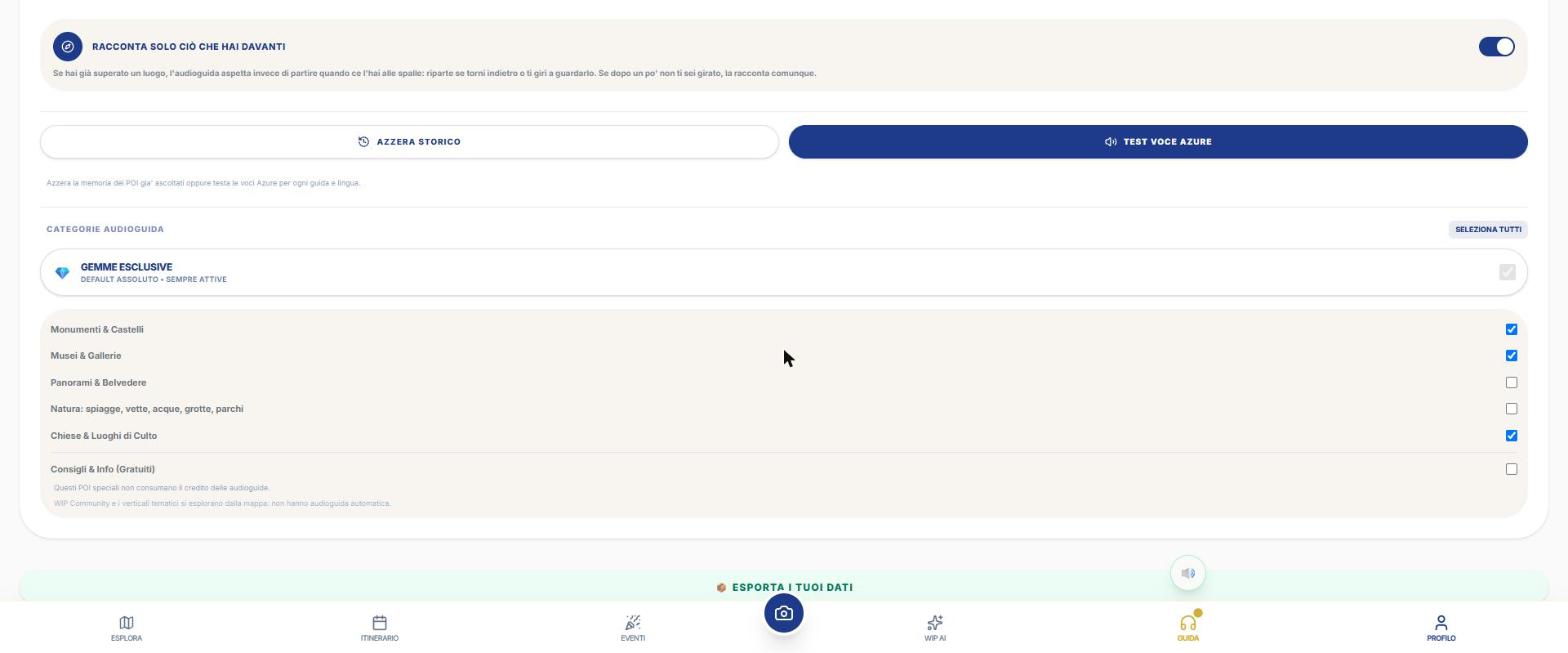
What you get: real examples
Files generated by the app for a real user, untouched: a big city and a smaller town. They are in Italian.
Large city · it’s what you hear when the audio guide starts on its own in front of the place.
Smaller center.
The Guide button and the mute button
- In the bottom bar tap GUIDE (headphones). It's a switch: off it's gray, on it colors and has a pulsating dot.
- When you turn it on, the app unlocks audio, offers you to download the audio guides for offline use, and on the web asks for location permission.
- Above the headphones a circle appears: 🔊 active voice, 🔇 muted. The silencer mutes all speech synthesis, including WipNav turn‑by‑turns; the text stays on screen.
- Next to the map the headphones button appears, opening the Radar (see the tour page).
What happens while you walk
| Phase | When | What you see and hear |
|---|---|---|
| Alert | Within the "Alert Distance" (150 m on foot, 300 m by car, adjustable) | A card at the bottom with street distance in metres, direction arrow and the **Listen** and **➤ Navigate** buttons; a beep and a vibration. |
| Arrival | Within the "Guidance Start Distance" (30 m on foot, 50 m by car, adjustable) | The **place card** opens; two beeps and a vibration. In **Automatic** the guide starts on its own; in **Semi‑Automatic** the card opens but the audio starts only if you tap Listen. |
- The alert card: the X closes it and that place does not reappear for 30 minutes; if it has already been announced it will not be announced again for 10 minutes. At most 2 cards, then "+N other nearby places" with CLEAR.
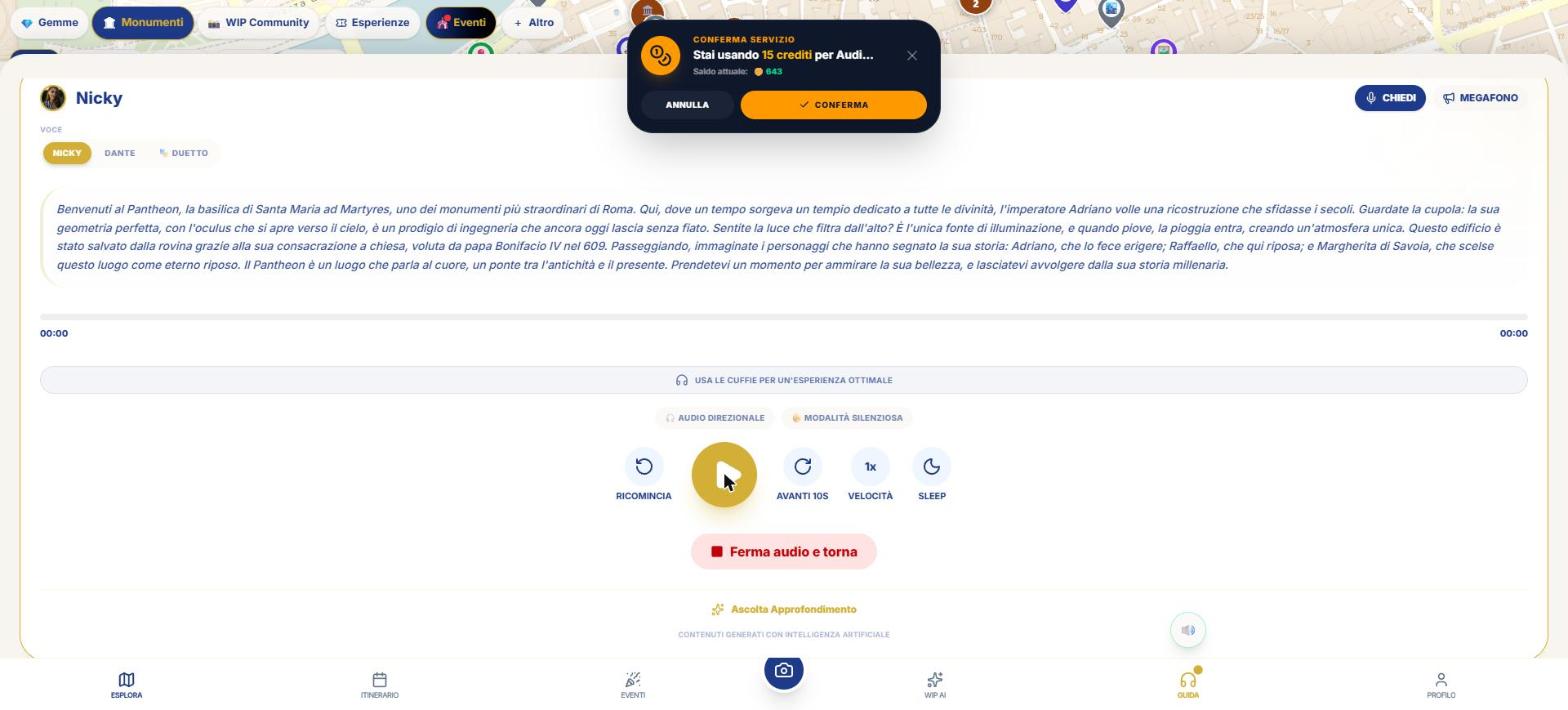
- The button reads "🪙 15 | Listen" if the place is not yours; only "🔊 Listen" if you have the Day Pass or have already paid.
- To avoid disturbing: at most one alert every 20 seconds and never for "raw" names (numbers, license plates).
- Doorless places (squares, parks, bridges, viewpoints, beaches) trigger when enter the area.
- With GPS accuracy worse than 50 m the app doesn’t decide anything.
- A listened place won’t restart for 24 hours (“Reset history” in Setup).
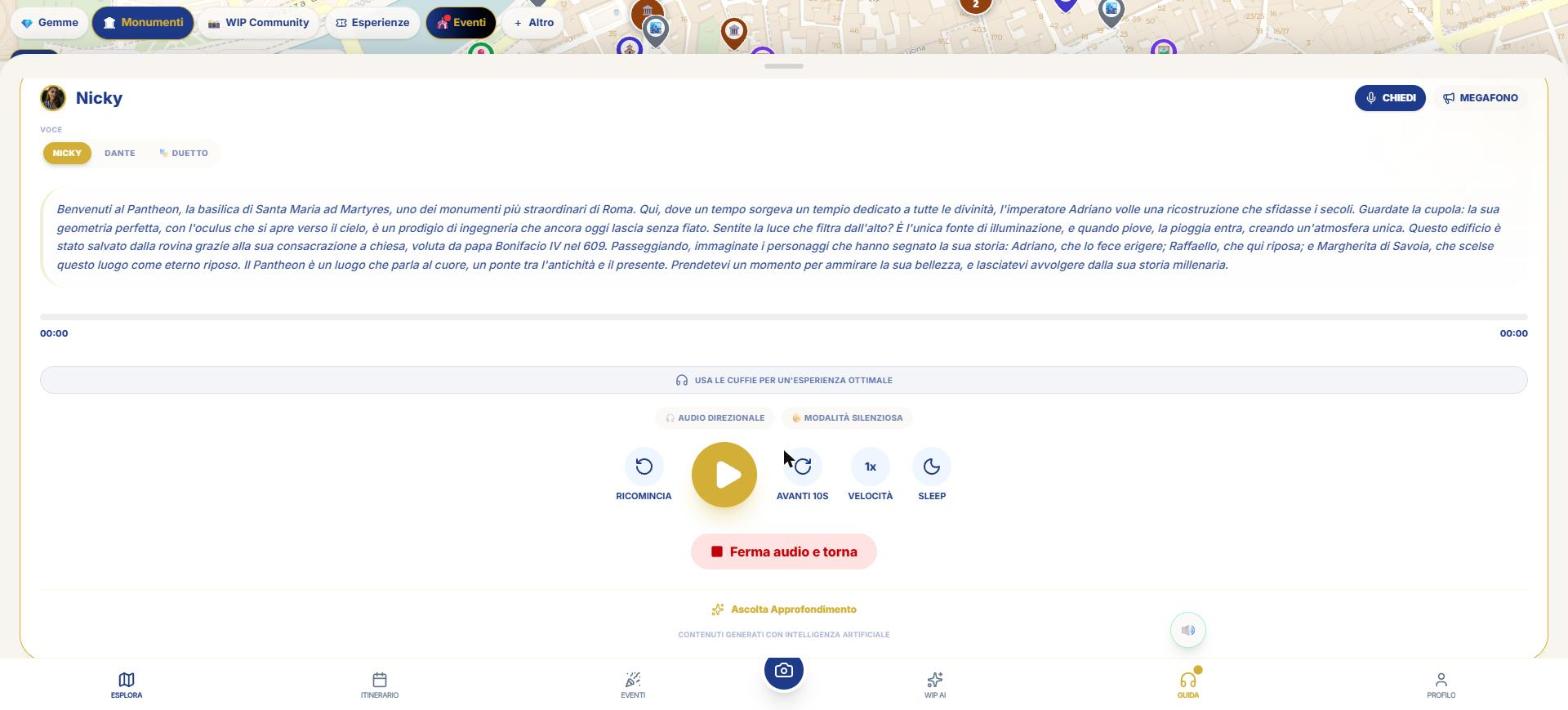
The player, command by command
| Command | What it does |
|---|---|
| Nicky / Dante / 🎭 Duetto | Change the voice (Duetto is a two‑voice dialogue). Changing the voice stops the audio and regenerates the text. |
| ASK 🎤 | Pause and ask a question (“E.g. What year was it built?”, at least 3 characters), typed or spoken. The answer (up to 120 words) is read aloud; then you tap “Resume”. AI consent and access are required. |
| Megaphone | Megaphone voice effect; disabled if the device doesn’t support it. |
| Restart | Go back to the start. |
| Play / Pause | The big circle (red when playing). |
| Forward 10 s | Skip 10 seconds. |
| Speed | Cycle 1× → 1.5× → 2× → 1×. |
| Sleep | Cycle off → 10 → 20 → 30 minutes; when the timer expires the audio stops. |
| Resume from… | Appears if you had gotten further ahead (“you were at …”). |
| 🎧 Directional audio | In headphones the sound comes from the direction of the place; use the compass. |
| 🤫 Silent mode | Automatic triggers have no voice: vibration and text to read. Manual play always sounds. |
| Listen to In‑depth | Longer narration (up to 3 levels); not cached. |
| Stop audio and return | Closes the player. |
| Transcription | The currently playing sentence is highlighted. |
At the end of a guide, "How was the audio guide's timing?" may appear with "⏱ Right time", "⏰ Too early", "📍 I wasn't here" (at most once every 30 minutes): it helps improve the triggers. There is no volume control: you use the phone's.
How much does it cost and when
- It is evaluated in this order: guide already listened to or owned, audio downloaded or free → no cost; then active Day Pass → no window, decrements a counter; otherwise «Conferma Servizio — Stai usando 15 crediti per Audioguida POI» appears with balance and Annulla / Conferma buttons.
- The cost is charged when the voice actually starts. If it doesn't start after payment, the guide is already yours and you don't pay again.
- With insufficient credits, «Low Credits» and «Top Up Credits» appear.
Day Pass: 200 credits, 24 hours, up to 40 guides, also offline and with screen off. The card appears in Profile, in Offline Maps and in itineraries: tap «Acquista ora · 200 crediti» and again to confirm. Active status: «Attivo — N guide rimaste, scade alle …». The counter counts once per place.
Mini-player and offline
- A bar above the bottom bar shows the title and «In riproduzione» / «In pausa» with Play/Pause and X.
- From Itinerary you can open «Download for Offline»: you download the permanent audio files (15 + 5 = 20 credits per cultural stop) or, for free, only the map and roads.
- The Day Pass includes the guides for the next 24 hours: the bundle is only needed if you want the files forever.
- The listens are found in Profile › ARCHIVE and can be replayed for free.
What WIP does not do (so you know what to expect)
- You can't manually choose «a piedi» or «in auto»: the app detects it from speed.
- There is no volume control nor an equalizer.
- The «Breve» and «Bimbi» registers are no longer selectable.
- If Automatic mode deducts credits without showing confirmation on a locked phone, it depends on the native app: the Setup declares it, not verified here.
Frequently asked questions
What happens if I close the warning card?
That place won't reappear for 30 minutes.
How do I mute everything?
With the round 🔊/🔇 button above the headphones: it also silences WipNav turns.
Why did the card open but not speak?
You are in Semi‑Automatic (tap Listen) or in silent mode.
Continue with
Audio guides
How WIP audio guides work: alert, teaser and full guide that start on their own, Nicky and Dante, 7 languages,…
Tour with audio guide
How to create and follow a Tour with audio guide in WIP: Radar, time you have, arrival, order, Along the way, …
Profile and Setup
All Profile tabs and all WIP Setup options: initial map, notifications, permissions, data usage, security, lan…
Content checked against the app code on 16 November 2026. If something does not match what you see, write to support@wip.guide.